Request Logs
The Request Logs section provides a detailed view of all API requests, helping you monitor and analyze your request activity efficiently.
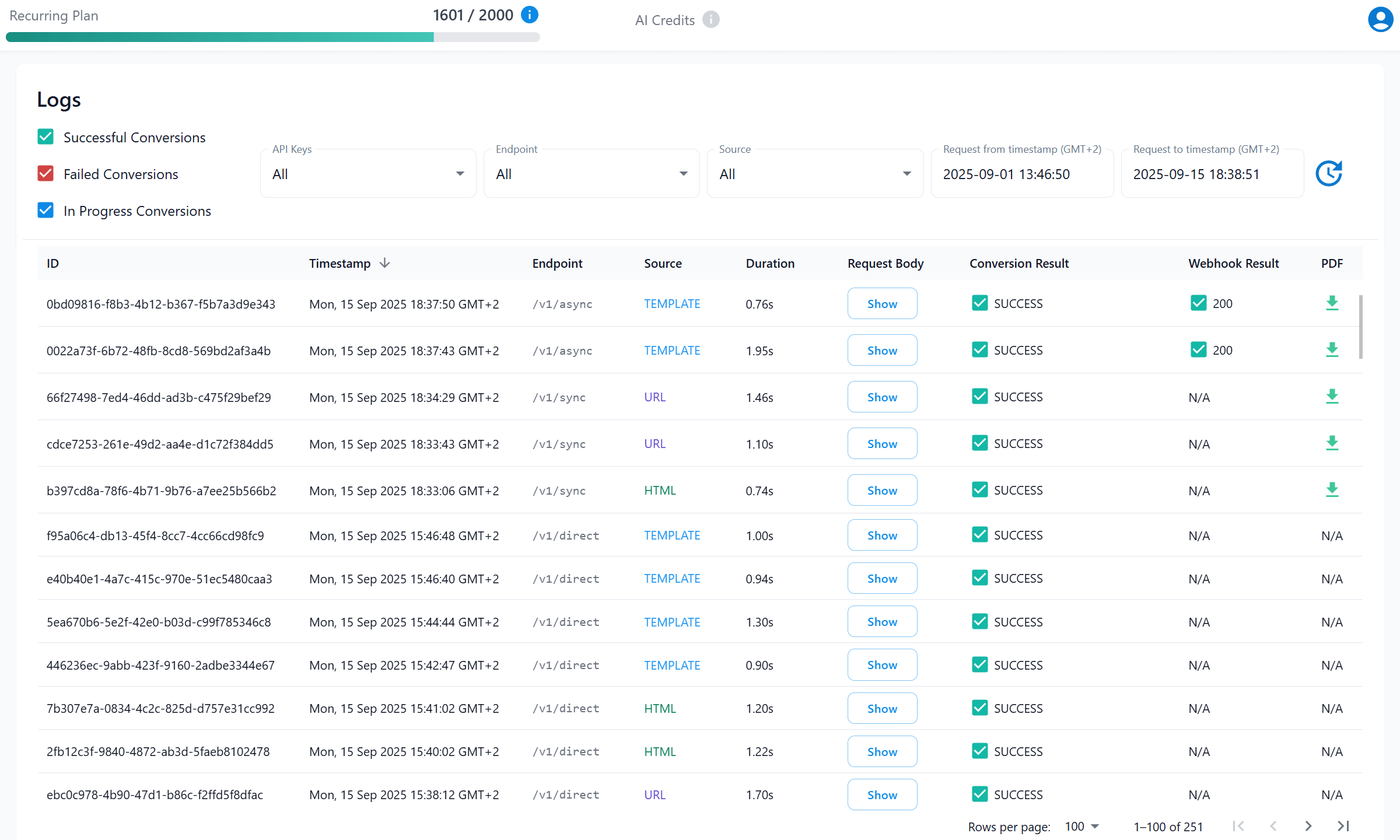
Detailed Information in Logs
| Field | Description |
|---|---|
| 1. ID | A unique identifier for each request. |
| 2. Timestamp | When the request was made. |
| 3. Endpoint | The endpoint used (/direct, /sync, /async, /playground, /designer). |
| 4. Source | Specifies whether the source was HTML, URL, or TEMPLATE. |
| 5. Duration | Time taken to complete the request. |
| 6. Request Body | Click Show to inspect the request body. You can configure which parameters to redact, ensuring privacy and compliance. |
| 7. Conversion Result | Displays the outcome of your conversion process, including error or success messages for each request. |
| 8. Webhook Result | Check the status of asynchronous requests. |
| 9. PDF | If files are stored on our S3 bucket (optional), you can download the generated PDF from the logs. Files are automatically deleted after 24 hours. |
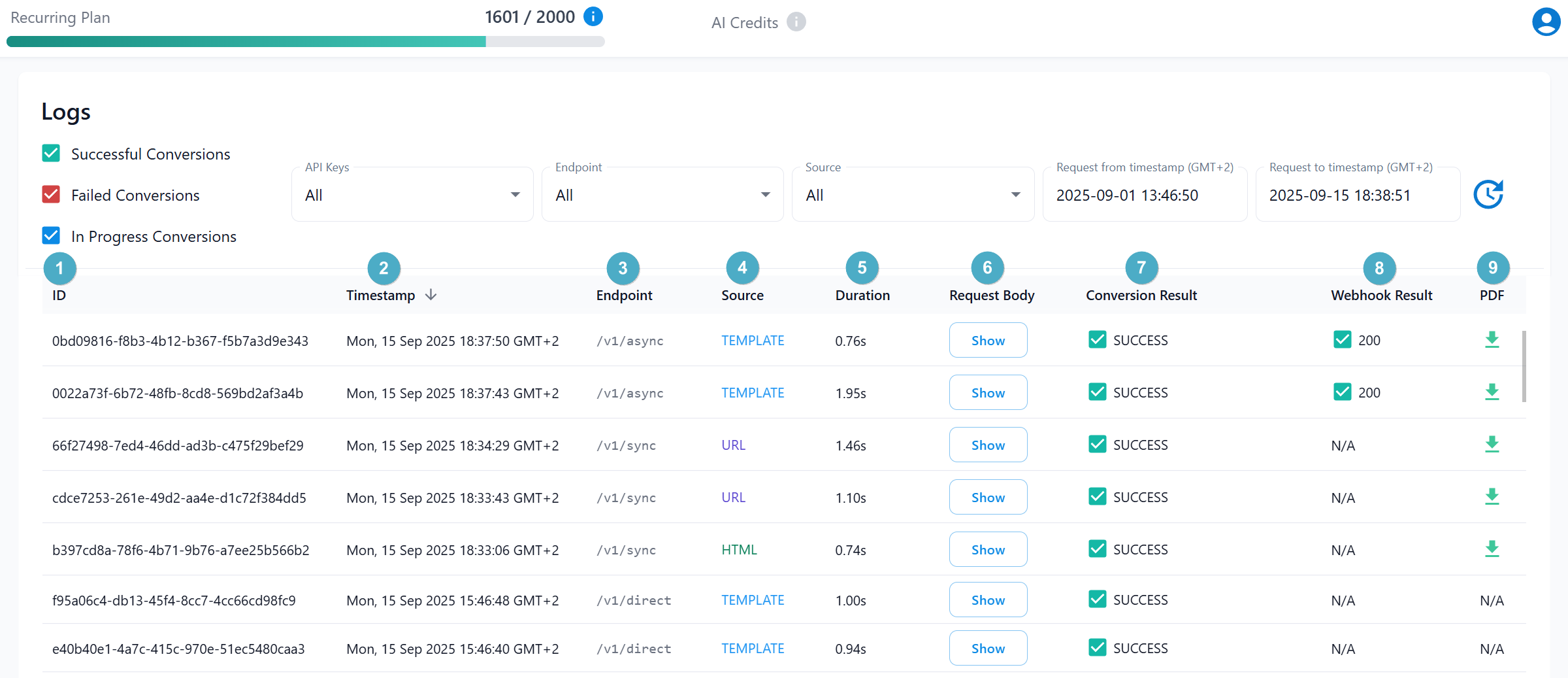
Filtering Options
Streamline your log analysis with the following filters:
- Result: Select requests based on their outcome:
Successful,Failed,In Progress. - API Key: Focus on requests associated with a specific API key.
- Endpoint: Focus on specific endpoints used:
/direct,/sync,/async,/playground, or/designer. - Source: Filter by the source type:
URL,HTML, orTEMPLATE. - Date Range: Use timestamp filters to view requests within a specific time frame.

tip
- Use filtering options to quickly locate specific requests and resolve issues more efficiently.
- Use the refresh icon to update the request timestamp and view the latest logs instantly.