Automate Shipping Documents
with PDF Generation API
Generate shipping labels, bills of lading, and packing slips from templates, HTML, or URLs via API.
Integrate with your TMS or WMS in minutes and automate shipping documentation at any scale.
<5min
Quick Setup
99.9%
Uptime SLA
Batch
Processing
100%
GDPR Compliant
Logistics Document Templates
Design once, generate thousands of shipping documents – waybills, customs forms, delivery notes, and more.
Populate templates with shipment data via API and get print‑ready PDFs in seconds.
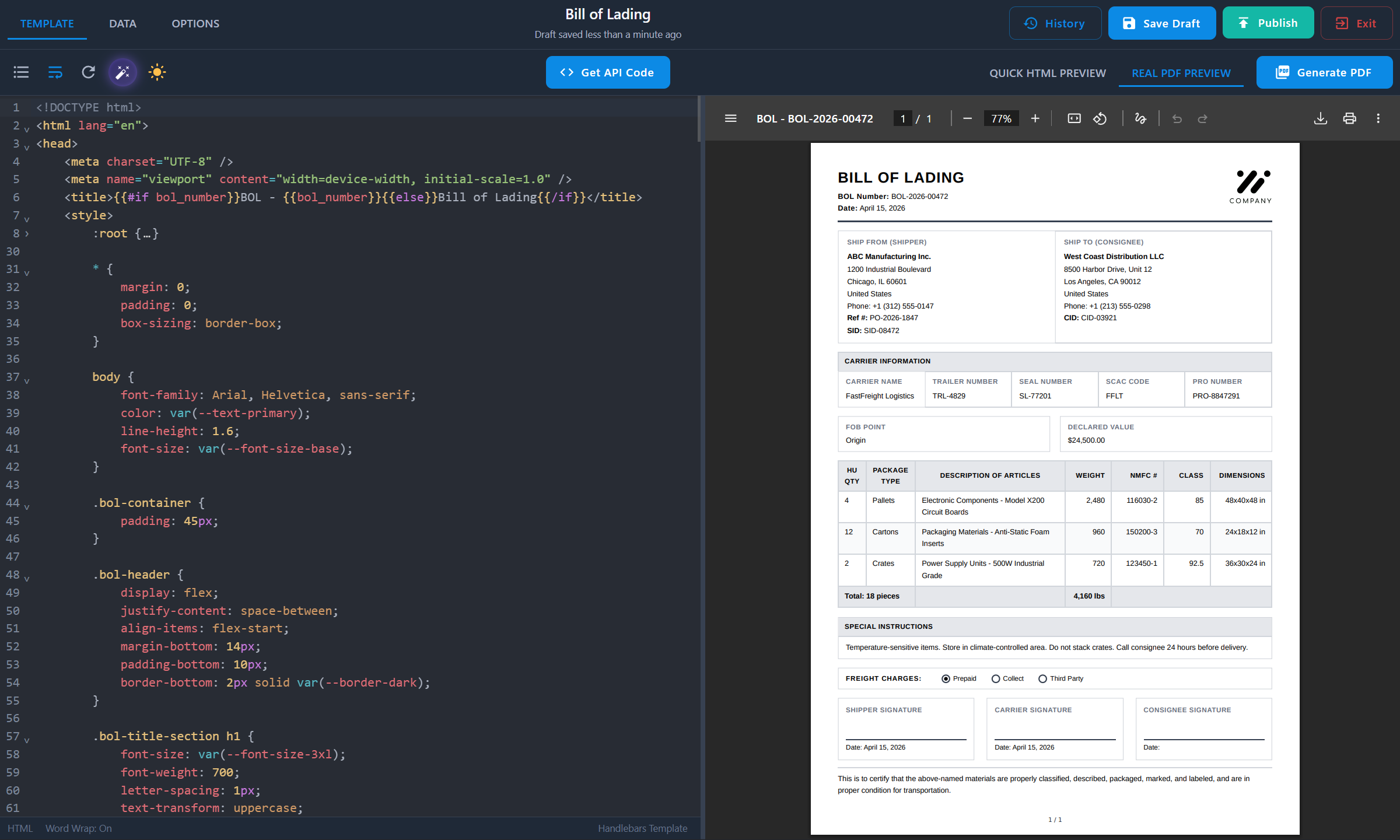
Visual Template Designer
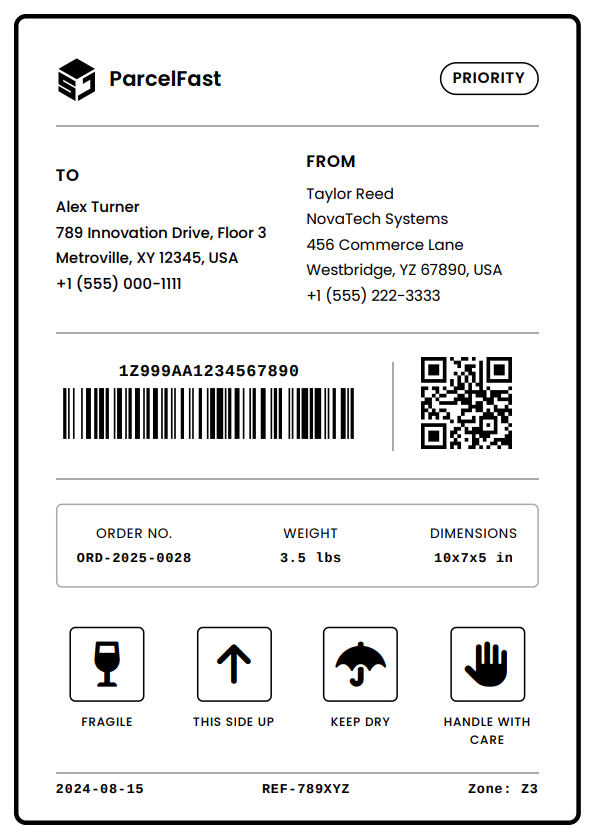
Design shipping labels, waybills, and freight invoices with real-time preview and instant PDF testing. See exactly what your warehouse team prints.
Dynamic Shipment Data
Populate templates with carrier details, tracking numbers, addresses, and weights. Pass shipment data as JSON – get print‑ready PDFs in seconds.
Barcode & QR Code Support
Add barcodes and QR codes to your HTML templates using JavaScript libraries. PDFBolt converts the full page to PDF – every barcode prints and scans reliably.
Reliable at Peak Volume
Generate ten documents or ten thousand per day – consistent quality and 99.9% uptime guaranteed. Use async mode for batch processing and direct S3 upload for your own storage.
Team Collaboration
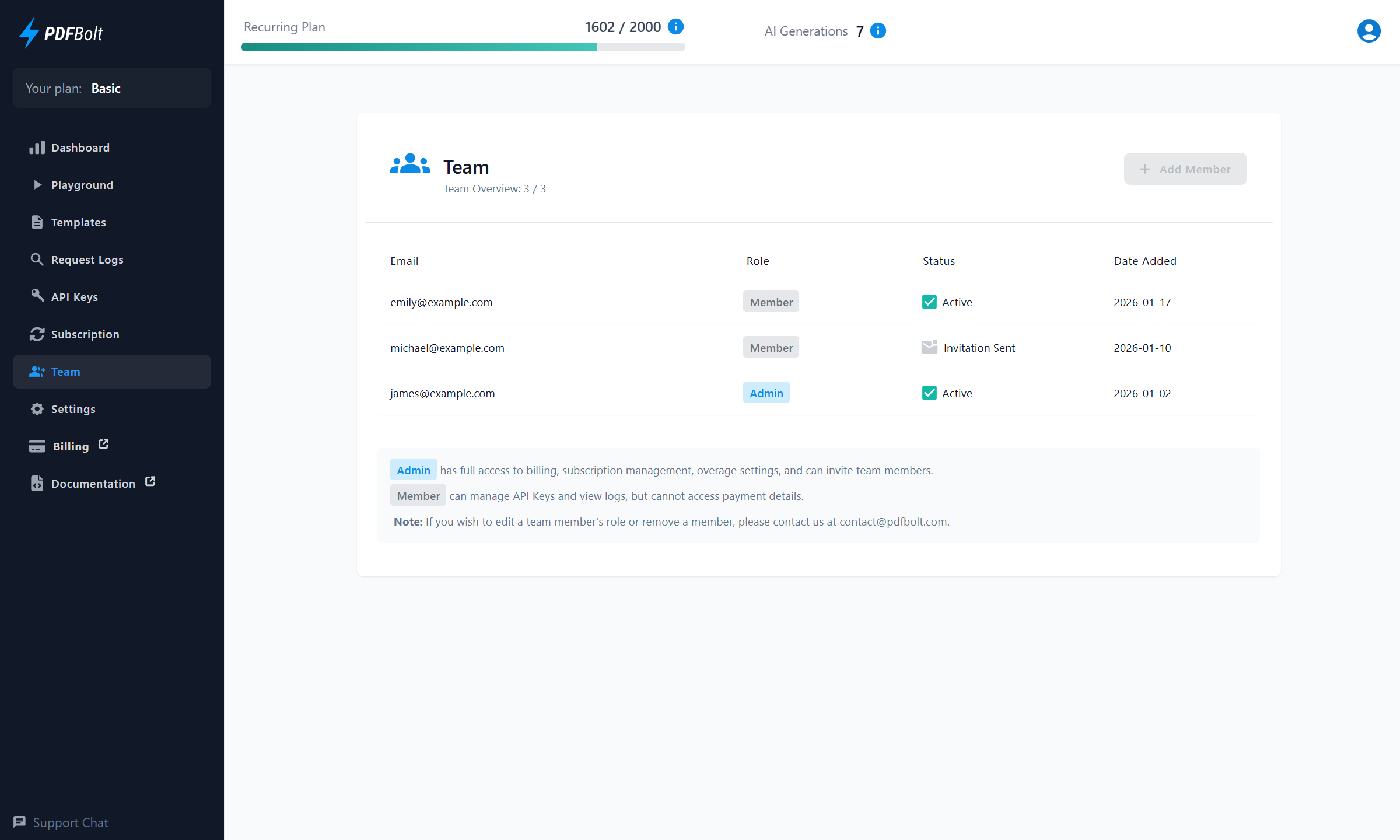
Invite team members to share templates, API keys, and request logs. Auto-save protects your work, version history lets you rollback anytime.
Any System Integration
Connect any TMS, WMS, or ERP via REST API. Production-ready code examples in 8 languages – integrate with your existing logistics platform in minutes.
How AI PDF Template Generation Works
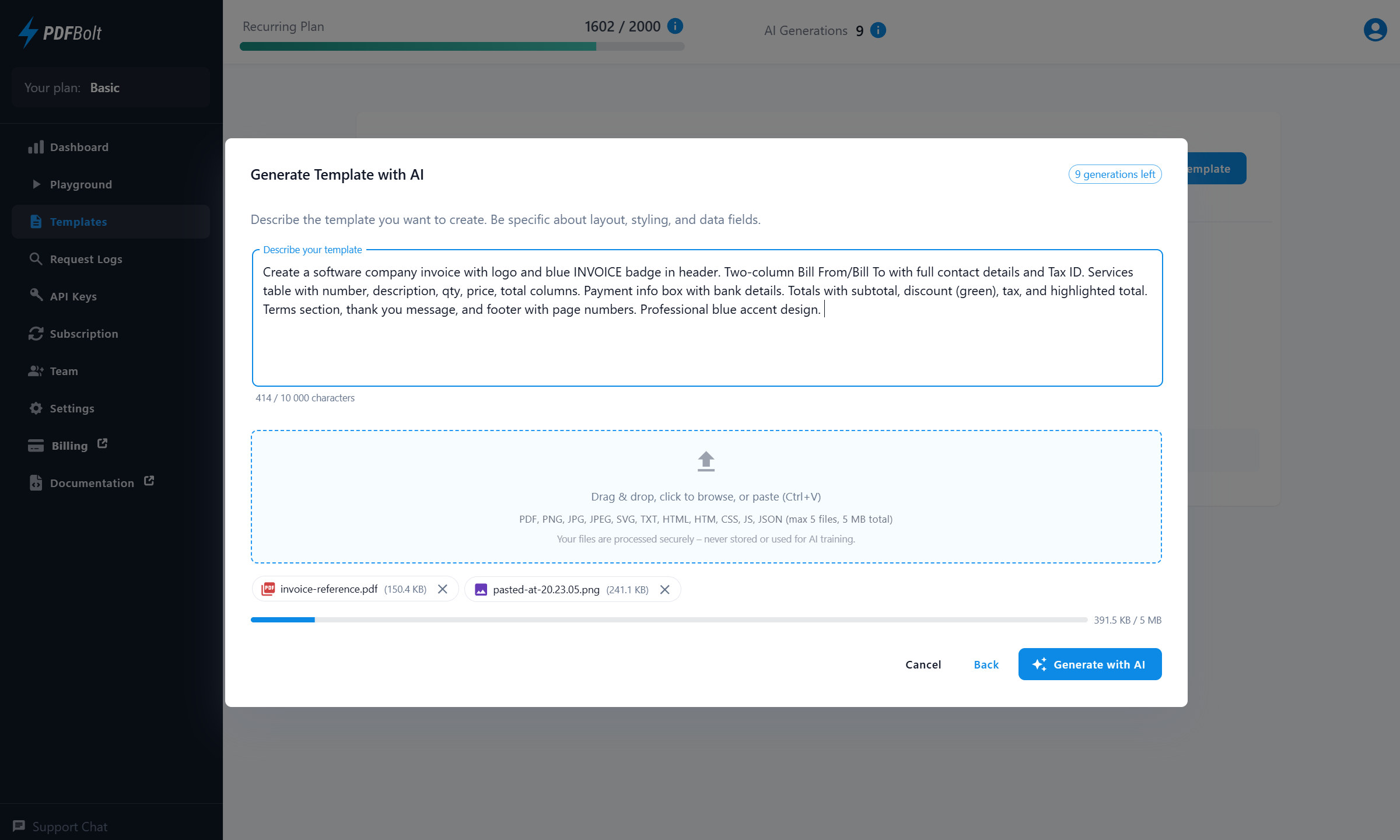
Describe your PDF layout and attach references. AI creates your complete template.
Edit with AI assistance, review changes side-by-side before applying, then copy ready‑to‑use API code.
Start with a Prompt
Describe your layout, data fields, and styling. Attach reference files – PDFs, images, or code.
AI Generates Code & Data
AI creates a complete HTML/CSS template with Handlebars variables and sample data.
Edit with AI Assist
Request changes – layout, fields, styling. AI handles the code updates. Iterate until satisfied.
Review & Accept
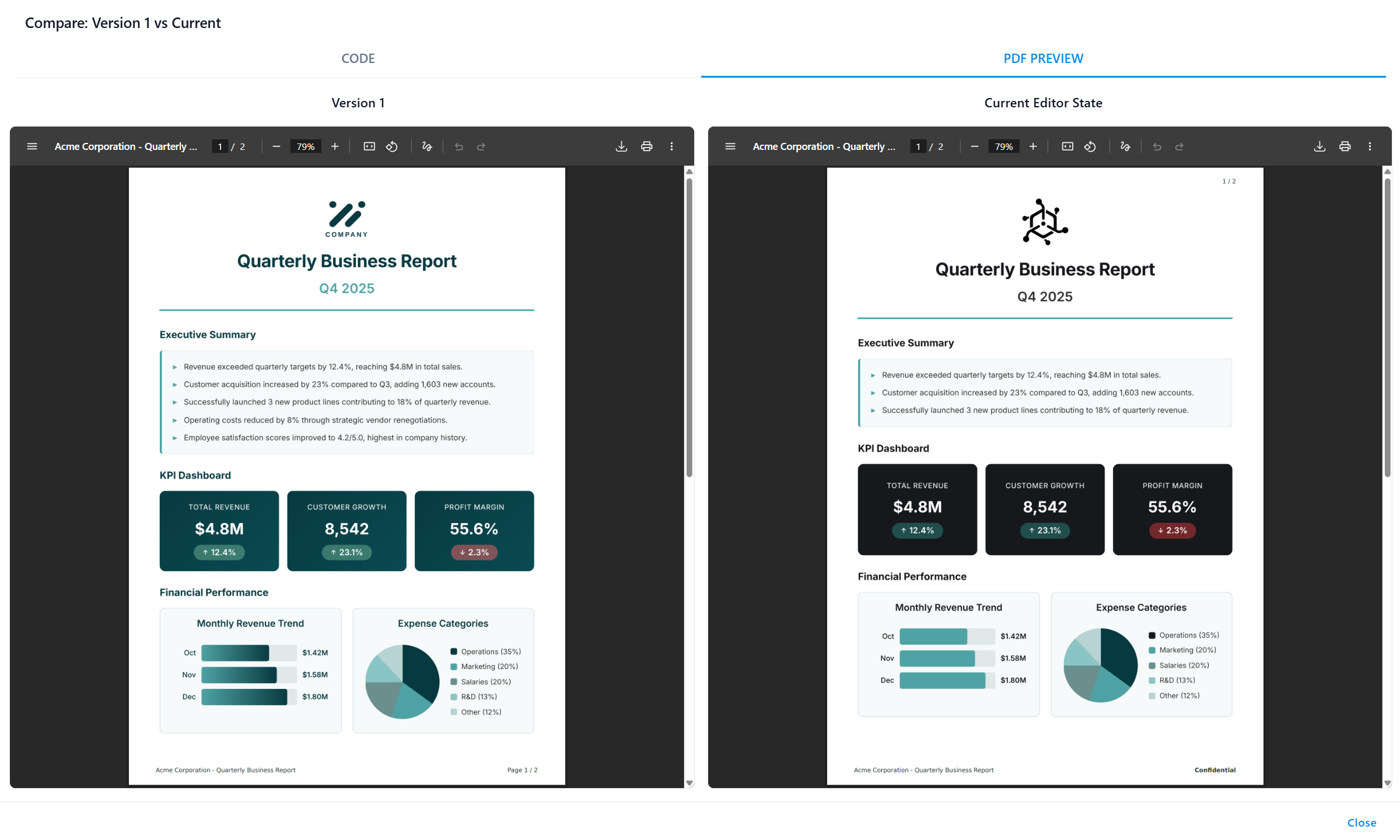
See what changed in diff view. Compare PDF output side by side, then accept or reject – full control.
One-Click Code Integration
Copy ready-to-use code snippets in your language. Integrate in minutes.
Generate Template with AI
Describe the template you want to create. Be specific about layout, styling, and data fields.
0 / 10,000 characters
Drag & drop, click to browse, or paste (Ctrl+V)
PDF, PNG, JPG, JPEG, SVG, TXT, HTML, HTM, CSS, JS, JSON (max 5 files, 5 MB total)
0 KB / 5 MB
Invoice Template
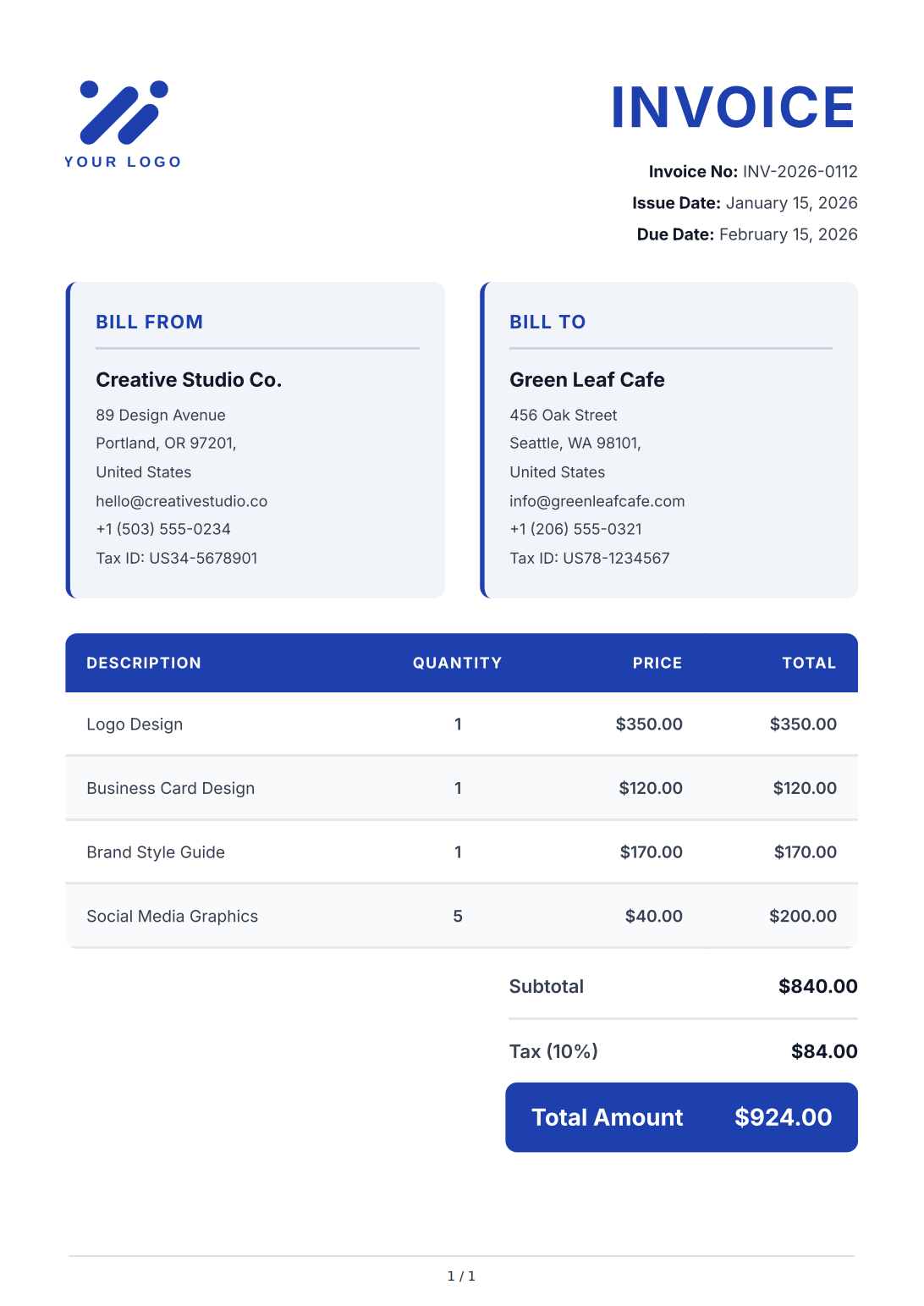
Invoice Template
AI Assistant
This will use
1 AI generation. Your template and sample data will be updated based on your instructions.Describe what you want to change:
Thinking
0 / 10,000 characters
Drag & drop, click to browse, or paste (Ctrl+V)
PDF, PNG, JPG, JPEG, SVG, TXT, HTML, HTM, CSS, JS, JSON (max 5 files, 5 MB total)
Review AI Changes
Before (Current)
1
/
1
After (AI-edited)
1
/
1
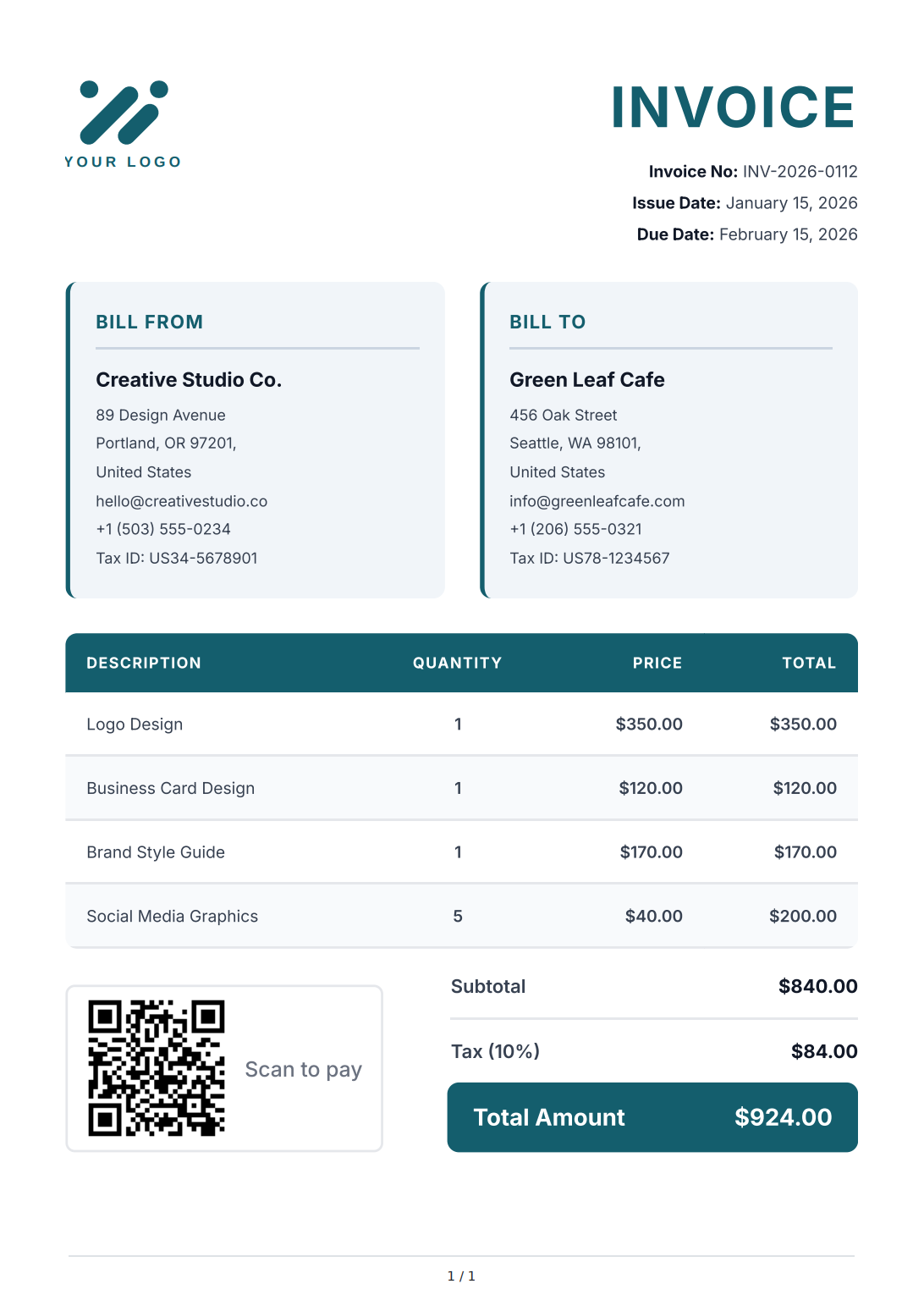
Invoice Template
API Integration: Invoice
Use the following code examples to generate PDFs using this template through our API.
Close
Manage Templates with the Template API
Use the Template API to create drafts, validate and preview changes, compare versions, and publish templates from CI workflows, internal tools, Claude Code, Codex, or other AI coding agents.
Quick API Integration
Generate any shipping document with a single API call – see working code examples below.
Use the official Node.js, Python, and PHP SDKs or REST snippets. Copy, paste, and start generating PDFs in minutes.
const fs = require('fs');

async function generatePdf() {
    const response = await fetch('https://api.pdfbolt.com/v1/direct', {
        method: 'POST',
        headers: {
            'API-KEY': 'XXXXXXXX-XXXX-XXXX-XXXX-XXXXXXXXXXXX',
            'Content-Type': 'application/json'
        },
        body: JSON.stringify({
            templateId: "your-template-id",
            templateData: {
                tracking_number: "TRK-9847-2026-US",
                ship_date: "May 10, 2026",
                carrier: "FastFreight Logistics",
                from: {
                    name: "ABC Manufacturing",
                    address: "1200 Industrial Blvd, Chicago, IL 60601"
                },
                to: {
                    name: "West Coast Distribution",
                    address: "8500 Harbor Drive, Los Angeles, CA 90012"
                },
                weight: "12.5 lbs",
                service: "Express"
            }
        })
    });

    if (!response.ok) {
        const errorText = await response.text();
        throw new Error(`HTTP ${response.status} - ${errorText}`);
    }

    const pdfBuffer = await response.arrayBuffer();
    fs.writeFileSync('shipping_label.pdf', Buffer.from(pdfBuffer));
    console.log('PDF generated successfully');
}

generatePdf().catch(console.error);




Why Logistics Teams Choose Us
Document generation software for logistics – from shipping labels to export documentation.
Consistent quality, GDPR‑compliant processing, and simple API integration for any logistics platform.
AI-Powered Logistics Templates
Describe your shipping label or bill of lading layout and AI generates a complete template. Upload a reference document to match your existing format – review changes before accepting.
Built for High-Volume Shipping
99.9% uptime and consistent performance during peak holiday season. Generate thousands of shipping labels per hour with the same speed and quality every time.
Accurate Shipping Documentation
Generate pixel-perfect bills of lading, packing slips, delivery notes, and certificates of origin. Full support for barcodes and QR codes – every document prints and scans reliably.
TMS & WMS Integration
Connect your transportation management system or warehouse management system via REST API. Code examples in 8 languages and async processing for batch workflows.
Shipment Data Privacy
Shipping addresses, order details, and customer data are processed only for PDF generation and immediately discarded. EU‑based servers with full GDPR compliance and zero data retention.
Transparent Pricing
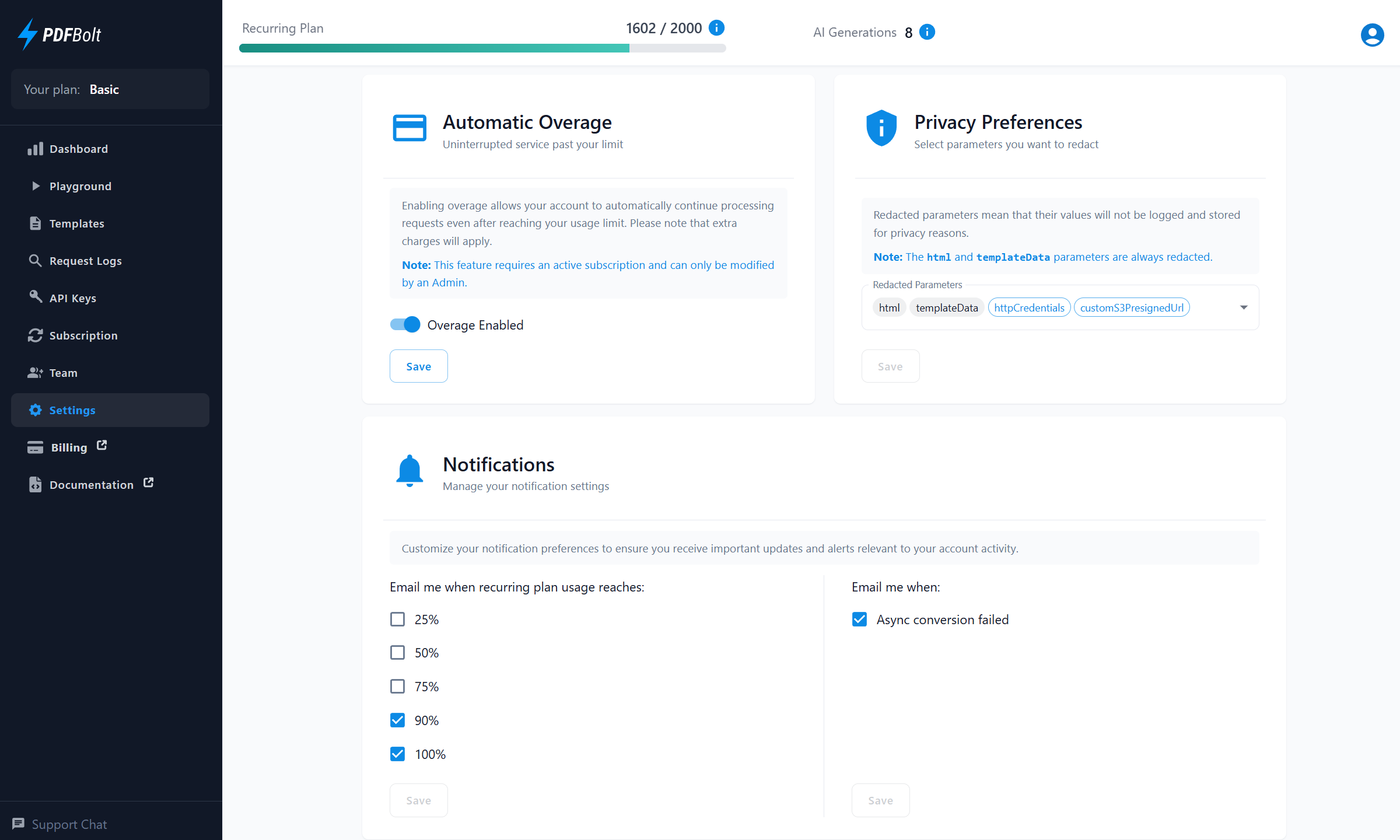
Simple monthly pricing based on document volume. Real‑time usage tracking, notifications, and optional overage for uninterrupted PDF generation.
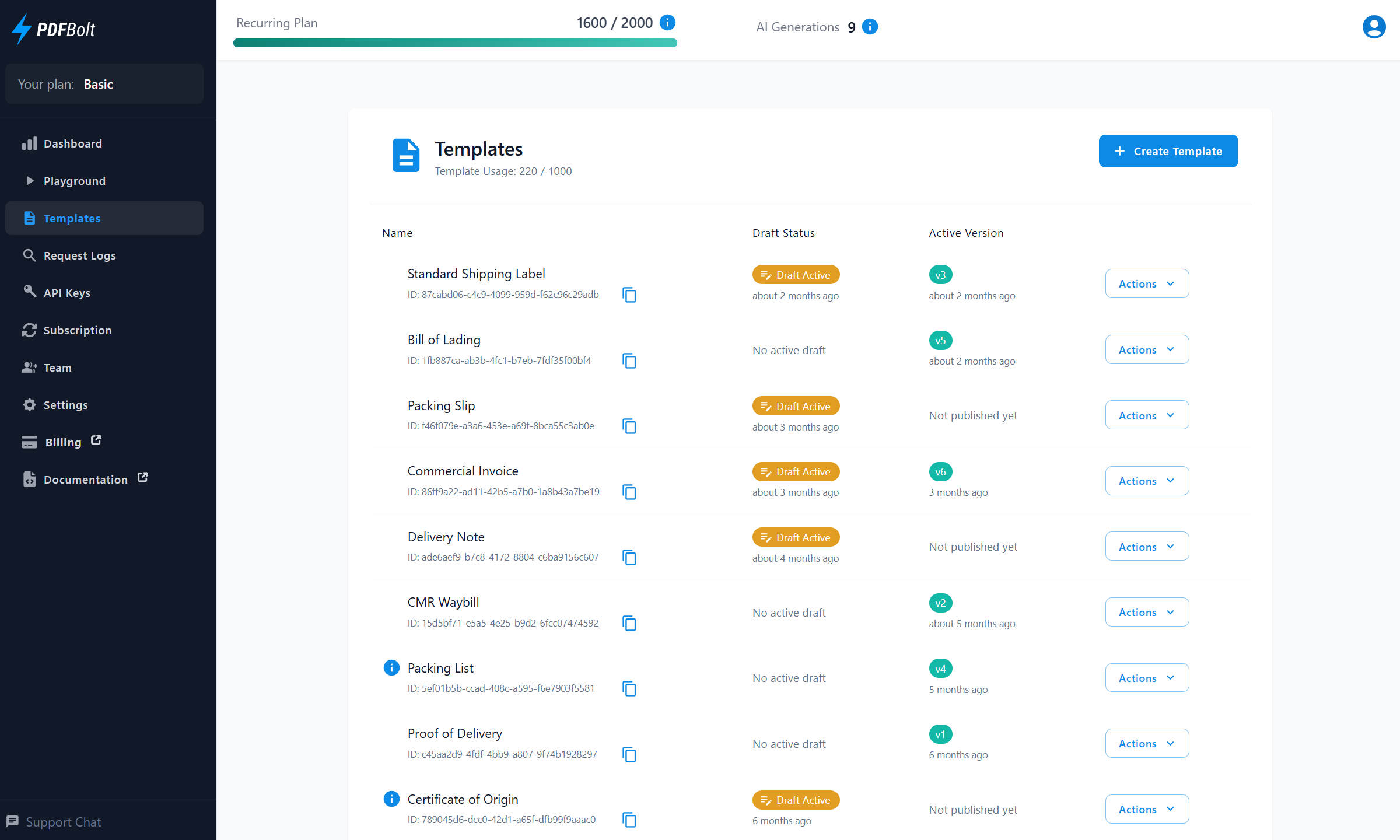
All-in-One Dashboard
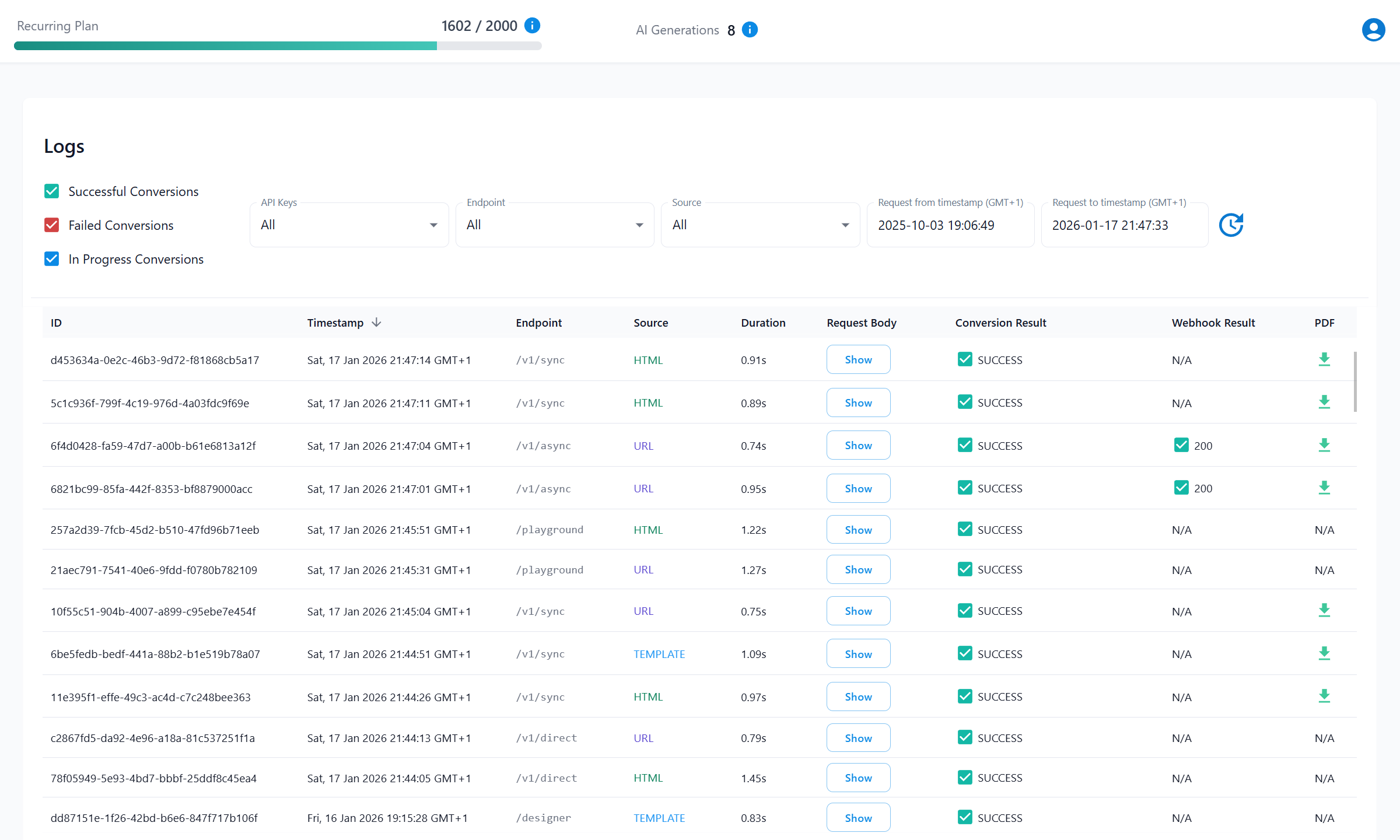
Create your own templates, invite team members, and get full visibility into your API usage – all in one place.
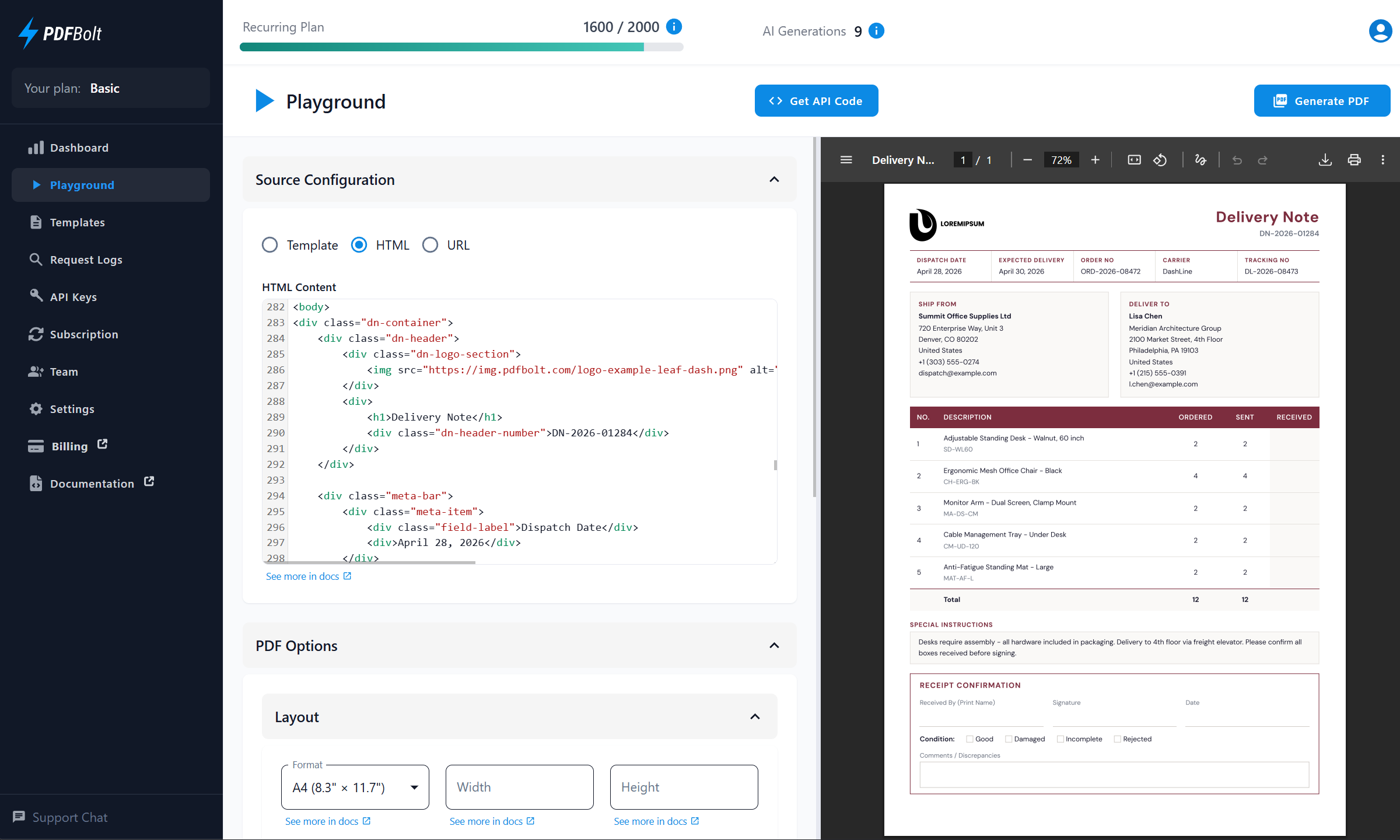
PDF Generation Playground
Test PDF generation from URLs, HTML content, or templates with real-time configuration and instant preview.
Trusted by Developers Worldwide
See how teams save time and reduce complexity with our developer‑first PDF solution.
"It has a very intuitive User Interface and easy to use API with a great documentation. What's best, that the support is super fast and even feature requests are discussed and implemented in just a couple of days. It helps us to create individualised PDF gift cards both for digital use as well as print production on the base of modern HTML / CSS."

David Bernhard
CTO at bon-bon.de
"Amazingly, the owner personally helped solve the issues I was having creating an exported lesson plan with hyperlinks and complex styling. This is a great piece of software. But more importantly, it’s the people behind a product that truly make a company great. His willingness to support my project without payment is truly unique – a rare product and a rare individual. This product just works. Thank you, PDFBolt!"

Robert Reich-Storer
Owner of Rhythmstix and Assessify"There's a lot of products that convert to PDF out there, but this one stood out to me, because the output quality is good, it's very easy to use, and pay per use. I also love the interactive API documentation, my request just worked out of the box in my app. And of course the focus on privacy, which is important when working with GDPR data. (...) PDFBolt just works, so I can focus on the business logic."

Malte Bartels
Cloud EngineerSimple and Transparent Pricing
Flexible plans that match your document volume. Start free, upgrade anytime – no hidden fees, no surprises.
Free
100 documents / month
20 requests per minute
1 concurrent request
PDF file size limit: 2MB
All customization options
1 template
1 AI template generation
No credit card required
Basic
$19
/month2 000 documents / month
100 requests per minute
5 concurrent requests
$0.01 per overage PDF
Unlimited PDF file size
All customization options
Async processing
Upload to S3
3 team members
10 templates
10 AI template generations / month
Growth
$79
/month10 000 documents / month
250 requests per minute
20 concurrent requests
$0.008 per overage PDF
Unlimited PDF file size
All customization options
Async processing
Upload to S3
10 team members
Unlimited templates
50 AI template generations / month
Print production (PDF/X, CMYK)
Priority support
Enterprise
$249
/month50 000 documents / month
500 requests per minute
50 concurrent requests
$0.005 per overage PDF
Unlimited PDF file size
All customization options
Async processing
Upload to S3
Unlimited team members
Unlimited templates
150 AI template generations / month
Print production (PDF/X, CMYK)
We create custom templates for you
Top priority support
Looking for higher monthly limits?
Contact Us →Frequently Asked Questions
Got questions? We've got answers!
Learn about document generation, TMS integration, and data privacy for logistics.
What logistics documents can I generate with PDFBolt?
Does PDFBolt support barcode and QR code generation?
Can PDFBolt handle peak shipping volumes?
How does PDFBolt integrate with my TMS or WMS?
How does PDFBolt protect shipping data?
Can I generate documents for international shipping?
Can AI generate logistics document templates?
Can I try PDFBolt for free?